



Official site
Official site (SETSYSTEME)
Activation, guides and FAQ.
Premium IPTV application
Version 2.xAn extra MAC-based Smart TV app for Mundovea, for specific cases.
Application visual
Add a featured image to display the real visual.
SET IPTV, by the Moroccan company SETSYSTEME, is another TV app with MAC-address activation, in the same family as IBO Player, SmartOne or NET IPTV. With Mundovea it works with an M3U link or with the Xtream Codes details, and it can store up to nine lists on one device. The publisher insists that it “is only a player” and that any channel offer under the SETIPTV name is a scam.
The official site speaks of “compatible Smart TVs, Android TV boxes and TVs, and Android tablets”, without naming brands or linking to stores; we found no Google Play listing and no confirmation from the Samsung or LG stores. Check your TV’s store before counting on it. There is no iPhone version.
7-day trial from installation, no card required. Then a lifetime activation for 170 Moroccan dirhams (about €15.50) per device, tied to the MAC, non-transferable and non-refundable. Payment is made on setsysteme.com through the CMI gateway (Visa or Mastercard, in dirhams); some European cards are refused.
SET IPTV never asks for a username and password on the TV. The app shows a MAC address (and, depending on the app, a device key); with it you enter the MAC shown on the app’s home screen on setsysteme.com and add your lists, and the list appears after restarting the app. We send you the M3U link when your subscription is activated. If you don’t have one yet, start with the free trial or see the pricing; our support can upload the list for you.
For price and clarity of terms, on a new TV we prefer NET IPTV or SmartOne IPTV; SET IPTV is a good fallback if your device already ships with it or if the others are not available for your model.
The application is the video player. The premium subscription provides the stable server and the credentials required to activate the channels.
Step A: The application
The player installed on your device.
Step B: Your premium credentials
The code that activates the channels.
Download the app
Choose your device, open the right link, then come back here to follow the install guide and activate your premium access.
Official site
Activation, guides and FAQ.
Official site
By MAC address.
Choose your platform, follow the steps, then copy the required information without risk of error.
The publisher mentions Android TV boxes and tablets, but we found no Google Play listing. If your box offers the app, the MAC activation works the same way.
Answers stay collapsed to keep the page readable. Open only what concerns you.
Recommended articles
Do you want to watch your TV channels, movies, or series available through a legal IPTV service directly on your…
Read the article
Installing IBO Player on an LG Smart TV is a practical way to load and play an IPTV playlist directly…
Read the article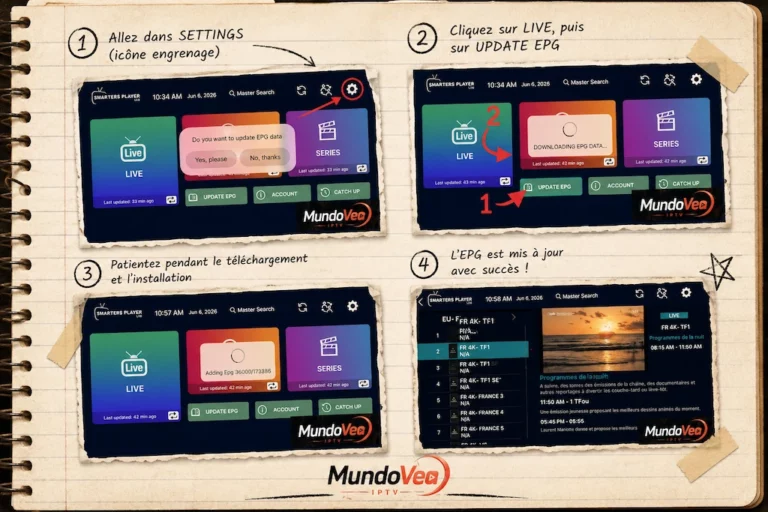
If you use Smarters Player Lite to watch your IPTV channels, you’ve almost certainly run into that annoying “N/A” showing…
Read the article