



1
Install on Android
Open the Play Store, search for Perfect Player, install it, then launch the app and sign in with the Xtream Codes credentials we send after checkout.
Premium IPTV application
Version 2026A mature and customisable IPTV player for Android, Android TV, Windows and macOS: XMLTV EPG and VOD.
Application visual
Add a featured image to display the real visual.
Perfect Player IPTV, by the developer Niklabs, was one of the most customisable M3U players on Android and Windows: several video engines, skins, cached XMLTV EPG. We keep it here because so many customers still search for it, but with a clear warning: in October 2026 the publisher’s domain is parked and the app is absent from Google Play in every country we checked. There is no official download channel.
Without an official site or store, any “Perfect Player” APK you find comes from third-party mirrors we cannot verify, an unnecessary security risk just to watch your subscription. It also receives no updates, so problems with codecs or recent Android versions will not be fixed.
On Android TV and Fire TV, TiviMate has the best remote handling and guide, and OTT Navigator is the closest to Perfect Player in configuration depth. On Android phones, XCIPTV or IPTV Smarters Pro. On Windows, VLC to test the list or IPTV Smarters Pro for daily use. See also our best M3U players for Android TV guide.
any of those apps is only the player; the channels come from your subscription. When you order Mundovea you receive a username, a password and a server URL (Xtream Codes format) and, if you prefer, an M3U link. You enter them once in the app. Not a customer yet? Start with the free trial or check Mundovea pricing.
You can keep using it while it works: load the Mundovea M3U list and the XMLTV EPG in its settings. But do not reinstall it on a new device; migrate to one of the apps above.
The application is the video player. The premium subscription provides the stable server and the credentials required to activate the channels.
Step A: The application
The player installed on your device.
Step B: Your premium credentials
The code that activates the channels.
Choose your platform, follow the steps, then copy the required information without risk of error.
Answers stay collapsed to keep the page readable. Open only what concerns you.
Recommended articles
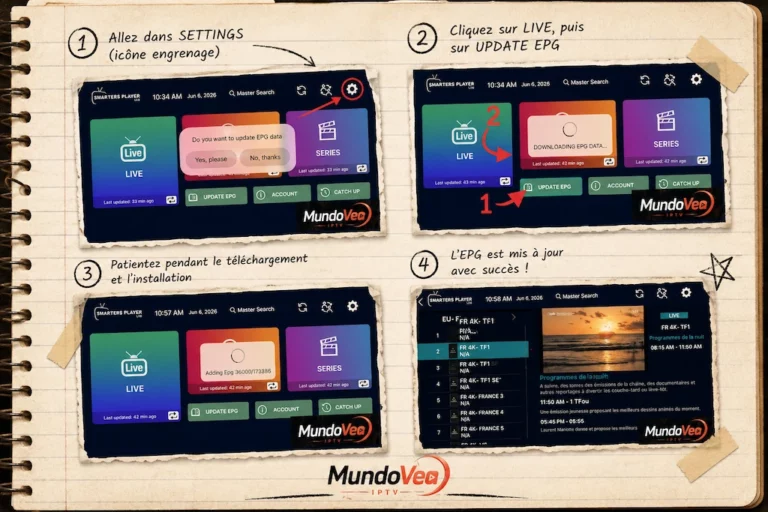
If you use Smarters Player Lite to watch your IPTV channels, you’ve almost certainly run into that annoying “N/A” showing…
Read the article
1. Introduction: The era of uncompromising 4K Ultra HD IPTV IPTV has transformed the way we consume entertainment. However, for…
Read the article